Documentation Index

Fetch the complete documentation index at: https://docs.paraminternationalltd.com/llms.txt

Use this file to discover all available pages before exploring further.

1

Review most visited screens

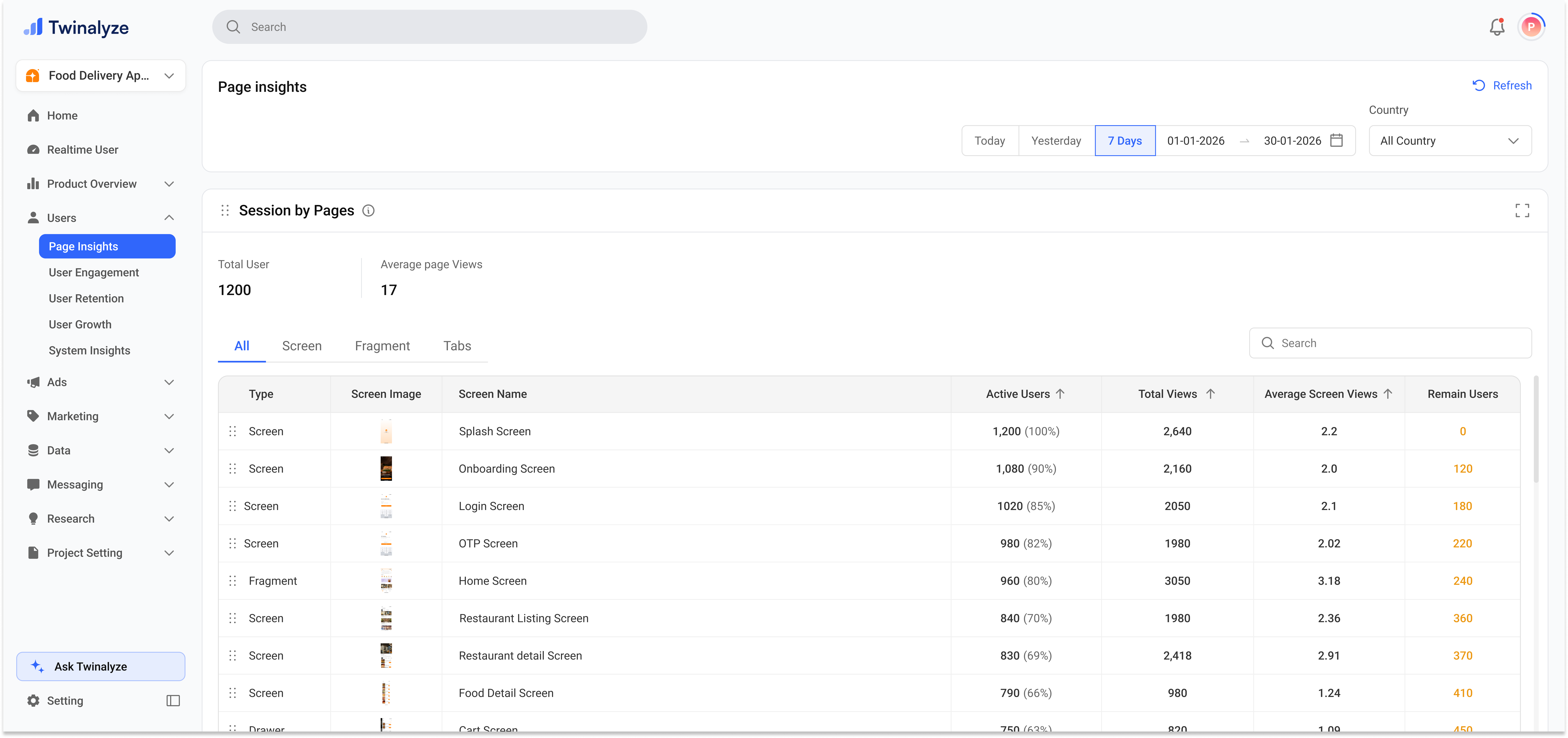
The main Page Insights view shows your most visited screens or fragments for the selected date range and country.You can switch between Screen and Fragment tabs to understand page-level or fragment-level performance.
Twinalyze Page Insights screen view
2

Compare screen and fragment data

The table helps you compare each screen by total visits, active users, average page views, and remaining users.This helps you understand which pages are used often and where users may continue or stop their journey.
Twinalyze Page Insights fragment view

Reading the metrics

Active User

Users who interacted with screens during the selected period.

Total Visit

Total number of times a screen or fragment was visited.

Average Pages

Average number of pages viewed by users.

Average Page Views

Average views received by a selected page or fragment.

Remain Users

Users who continued or remained active after visiting that screen.


How to use Page Insights

1

Select date range

Choose Today, Yesterday, 7 Days, or a custom date range based on the period you want to analyze.
2

Choose country

Select All countries or filter by a specific country to compare page performance by market.
3

Switch between Screen and Fragment

Use the Screen tab for full page or activity-level performance. Use the Fragment tab for smaller app sections or component-level views.
4

Review top pages

Check total visits, active users, average page views, and remaining users to understand which screens are performing well.
5

Use average page view card

Review the average number of pages viewed per user to understand whether users are exploring more pages or leaving quickly.

Common use cases

Use the Most Visited Screens section to identify which screens or fragments users open most often.
Switch between Screen and Fragment tabs to understand whether users engage more with full pages or specific app sections.
Use Average Pages and Average Page Views to understand how deeply users explore your app or website.
If a page has high visits but low remaining users, it may indicate users are leaving after that screen.
Use the country filter to compare page engagement across different regions.
Page Insights helps your team understand page popularity, user activity, average page views, and screen-level engagement in one place.