

 Overview
 Analytics
 SDKs
SDKs Integrations
 Changelog
Role
Description
Owner
Full control
Admin
Manages organization members, projects, events, and integrations.
Analyst
Read-only access and can export data.
Viewer
Read-only access. Cannot modify anything.
Invite a member
Follow these steps to invite a member and assign the correct organization role.Send the invitation
Review the email address and selected role, then click Invite.Twinalyze sends an invitation email with instructions for joining the organization.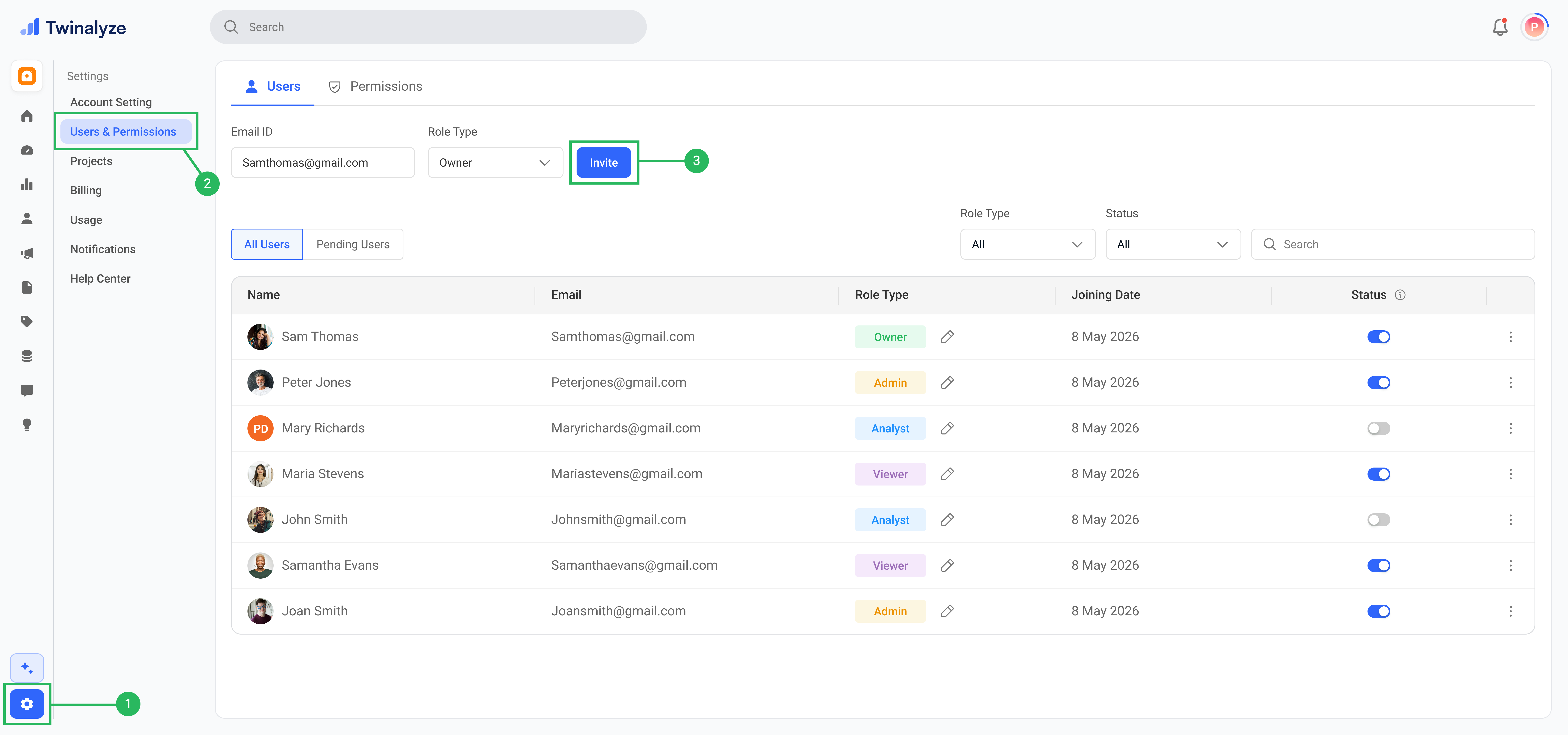
Best practices
Assign the lowest required access
Assign the lowest required access
Give each member only the role and permissions required for their
responsibilities.
Keep the number of Owners limited
Keep the number of Owners limited
Assign the Owner role only to people who require complete control over the
organization.
Use Admin for trusted managers
Use Admin for trusted managers
Assign Admin access to members who manage projects, users, settings,
integrations, and permissions.
Use Analyst for analytics teams
Use Analyst for analytics teams
Assign Analyst access to members who work with users, events, reports,
engagement, retention, and product performance.
Use Viewer for read-only access
Use Viewer for read-only access
Assign Viewer access to stakeholders or team members who only need to
review permitted dashboards and reports.
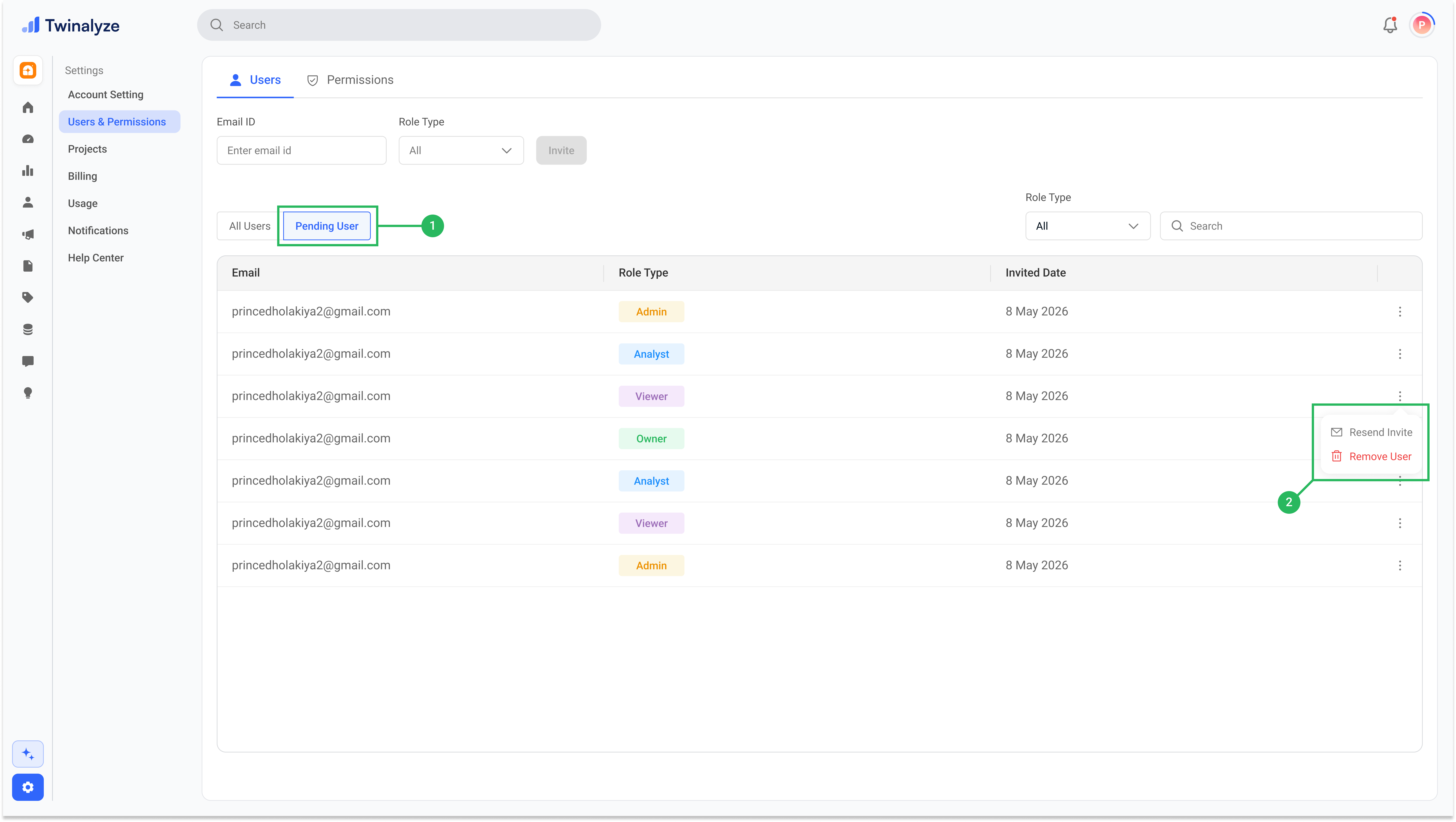
Review pending invitations regularly
Review pending invitations regularly
Revoke invitations that were sent incorrectly or are no longer required.
Review access when responsibilities change
Review access when responsibilities change
Update a member’s role and permissions whenever their position or
responsibilities change.