After creating a project, you can manage it from Project Setting. You can update project details, view credentials, manage project configuration, and delete a project when it is not live.Documentation Index
Fetch the complete documentation index at: https://docs.paraminternationalltd.com/llms.txt
Use this file to discover all available pages before exploring further.
A project can only be deleted if it is not live.
Edit Project
Use Edit Project when you want to update project details such as logo, name, description, SDK keys, and project configuration.Step 1: Open Project Setting
Click Project Setting from the left sidebar.
Step 2: Edit project details
In the Overview tab, update the project details.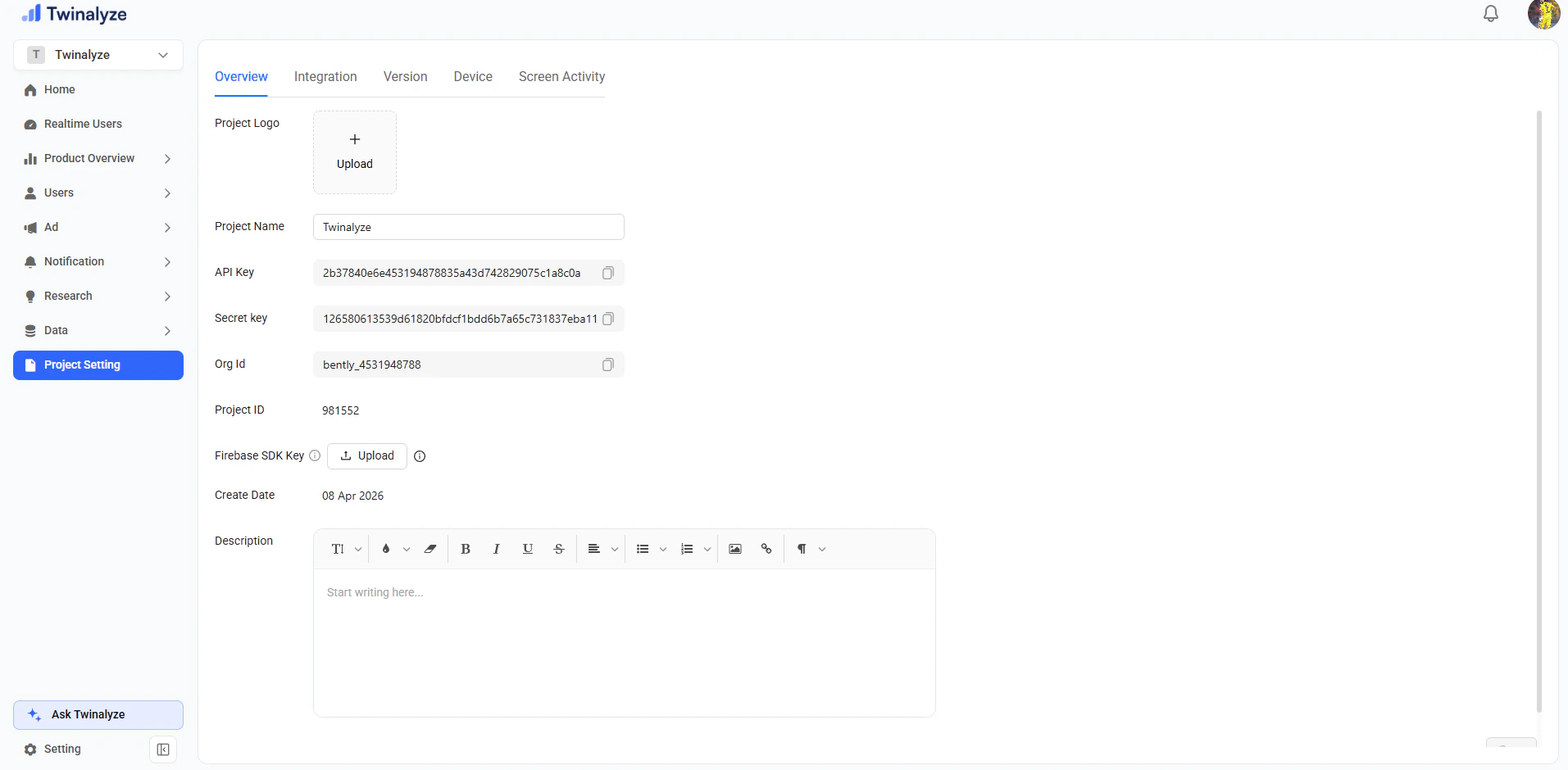
Details you can edit
| Field | Description |
|---|---|
| Project Logo | Upload or update the project logo |
| Project Name | Change the project name |
| Firebase SDK Key | Upload or update Firebase SDK key |
| Description | Add or update project description |
| Version / Device / Screen Activity | Manage project-related configuration |
Delete Project
Step 1: Click Delete Project
Click the Delete Project button from project settings.
Step 2: Confirm Delete
Confirm the delete action from the confirmation popup.
Delete rule
| Project Status | Can Delete? |
|---|---|
| Project is live | No |
| Project is not live | Yes |
If the project is live, first stop using it in your website or app, then try deleting it again.
Best practices
Edit project details carefully
Edit project details carefully
Project name, logo, and description should match the actual website or app.
Do not share secret keys publicly
Do not share secret keys publicly
Delete only unused projects
Delete only unused projects
Delete a project only when it is no longer required and not connected to a live website or app.
Check live status before deleting
Check live status before deleting
A live project cannot be deleted. Make sure the project is inactive before deleting it.