> ## Documentation Index
> Fetch the complete documentation index at: https://docs.paraminternationalltd.com/llms.txt
> Use this file to discover all available pages before exploring further.
# User Overview
> Understand user list, user activity, device properties, event properties, traffic source, and screen journey in Twinalyze.
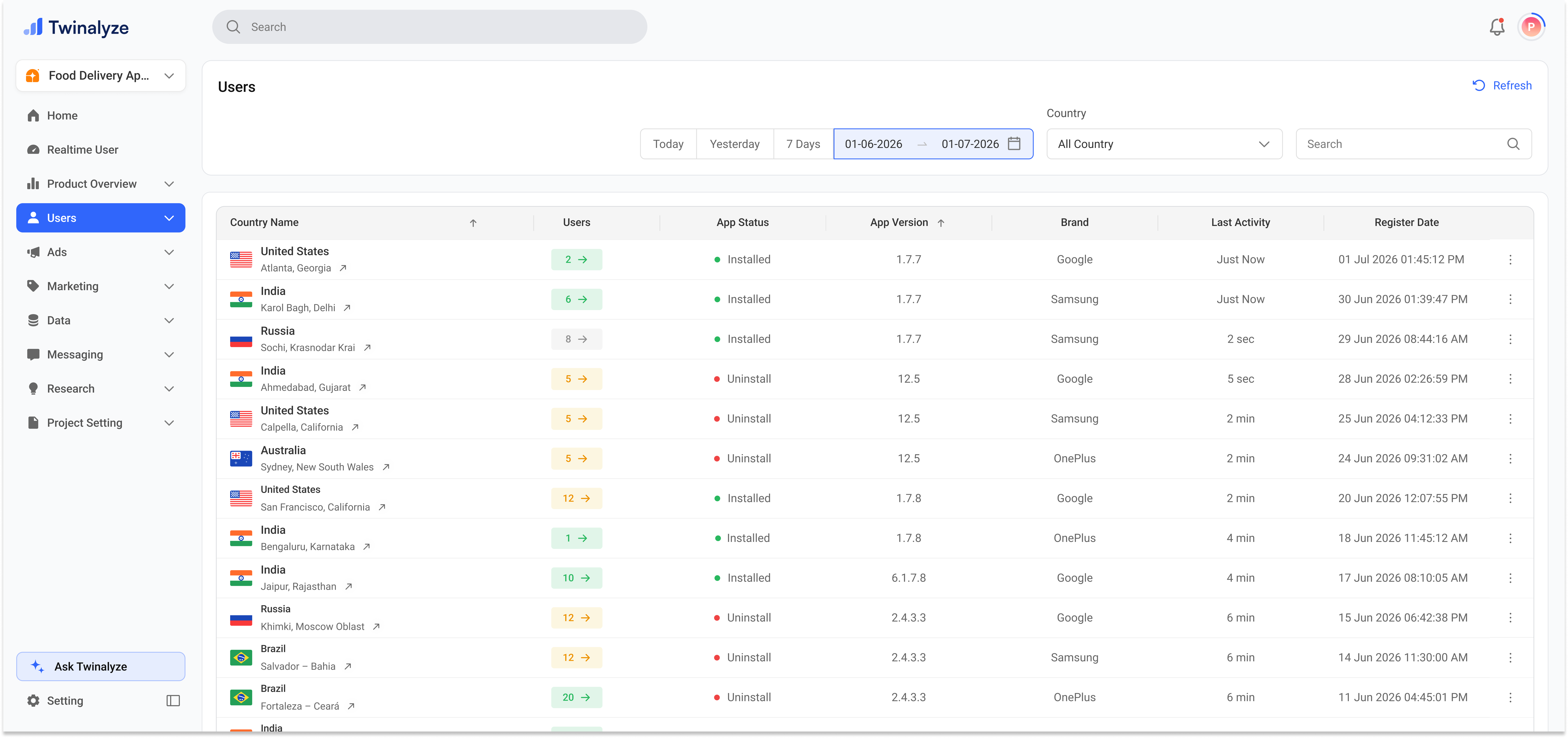
It helps you quickly check the user's country, retention type, app status, app version, device brand, last activity, and registration date.
 Expand a session row to view detailed user activity. This helps you understand the exact sequence of events performed by the user.
The right-side property area helps you inspect device details, event information, traffic source, and selected event data.
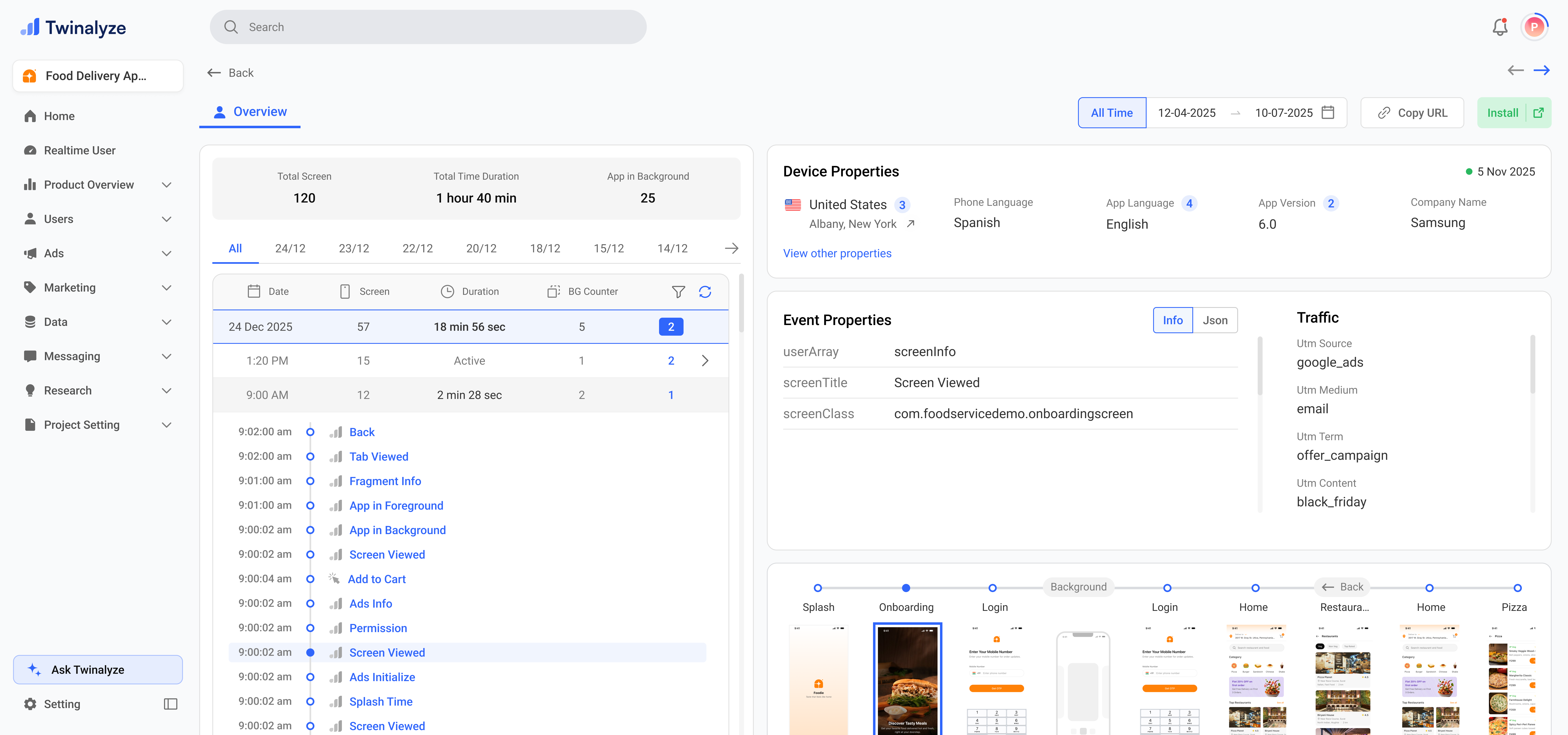
Expand a session row to view detailed user activity. This helps you understand the exact sequence of events performed by the user.
The right-side property area helps you inspect device details, event information, traffic source, and selected event data.
 ***
## Common use cases
Open a user and review journey path, event properties, and session activity to understand what happened.
Use Device Properties to review app version, brand, model, language, IP address, screen size, and device ID.
Use Traffic to check whether the user came from Organic, Google Play, campaign source, or another UTM source.
Use Event Properties to inspect app events like screeninfo, splashTime, and adInfo, or web events like pageView, elementClick, formSubmit, scrollDepth, and customEvent.
***
## Common use cases
Open a user and review journey path, event properties, and session activity to understand what happened.
Use Device Properties to review app version, brand, model, language, IP address, screen size, and device ID.
Use Traffic to check whether the user came from Organic, Google Play, campaign source, or another UTM source.
Use Event Properties to inspect app events like screeninfo, splashTime, and adInfo, or web events like pageView, elementClick, formSubmit, scrollDepth, and customEvent.