> ## Documentation Index
> Fetch the complete documentation index at: https://docs.paraminternationalltd.com/llms.txt
> Use this file to discover all available pages before exploring further.
# Product Overview
> Understand product health, users, traffic sources, engagement, retention, permissions, versions, and app growth in Twinalyze.
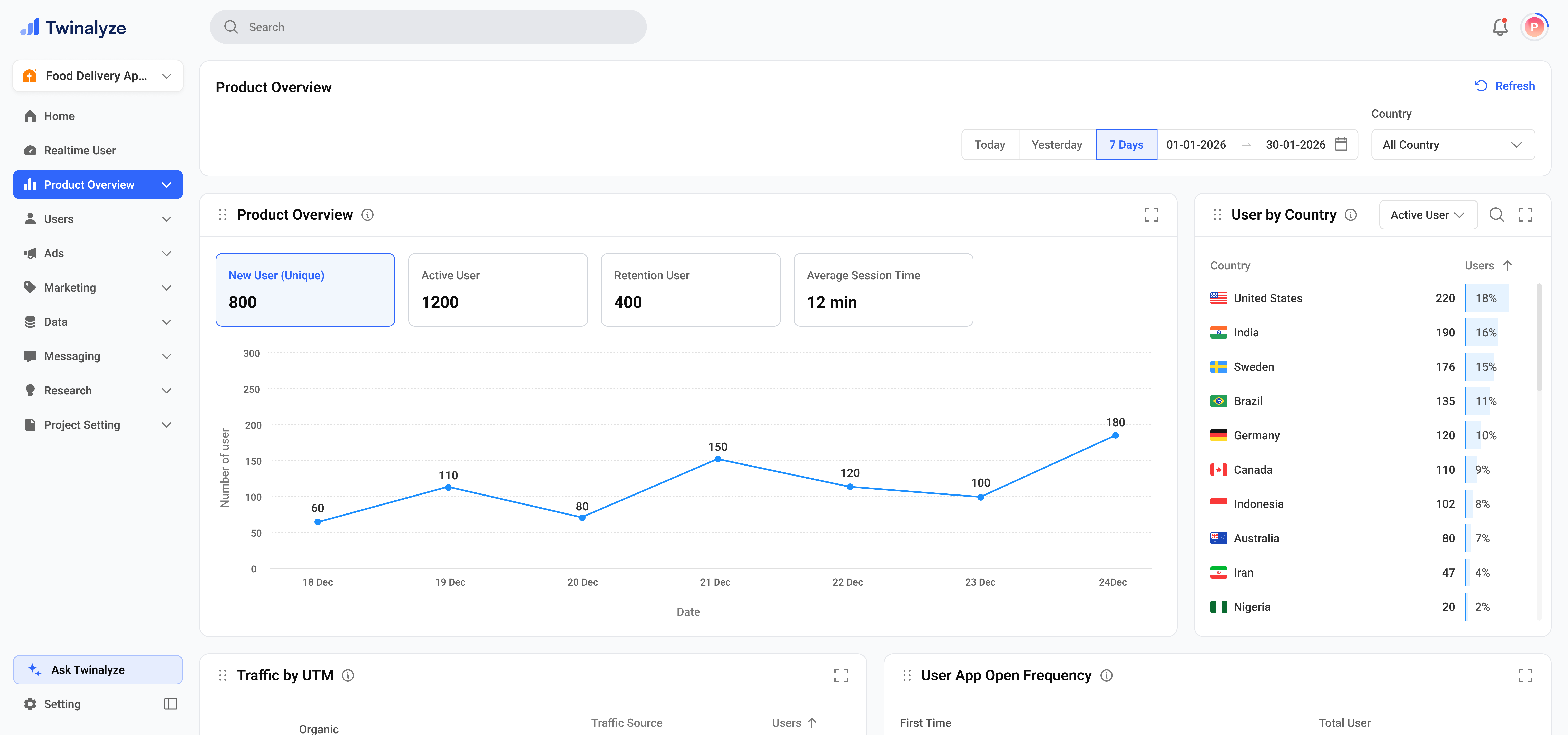
Product Overview gives you a complete summary of how your app or website is performing.
 ## Common use cases
Use top metrics to quickly check active users, retention users, and average session duration.
Use User Acquisition by Source to see which platforms or campaigns bring the most users.
Use app open frequency and average pages viewed to understand how strongly users interact with the product.
Use Notification Permission to see where users allow or deny important app permissions.
Use Version Distribution to understand how many users are on old or new app versions.
Use App Growth to compare installs and uninstalls and understand whether your product is growing steadily.
## Common use cases
Use top metrics to quickly check active users, retention users, and average session duration.
Use User Acquisition by Source to see which platforms or campaigns bring the most users.
Use app open frequency and average pages viewed to understand how strongly users interact with the product.
Use Notification Permission to see where users allow or deny important app permissions.
Use Version Distribution to understand how many users are on old or new app versions.
Use App Growth to compare installs and uninstalls and understand whether your product is growing steadily.