> ## Documentation Index
> Fetch the complete documentation index at: https://docs.paraminternationalltd.com/llms.txt
> Use this file to discover all available pages before exploring further.
# Custom Store Listing
> Understand how to check custom app store listings by app link, package ID, country, tier, language, logo, and app title in Twinalyze.
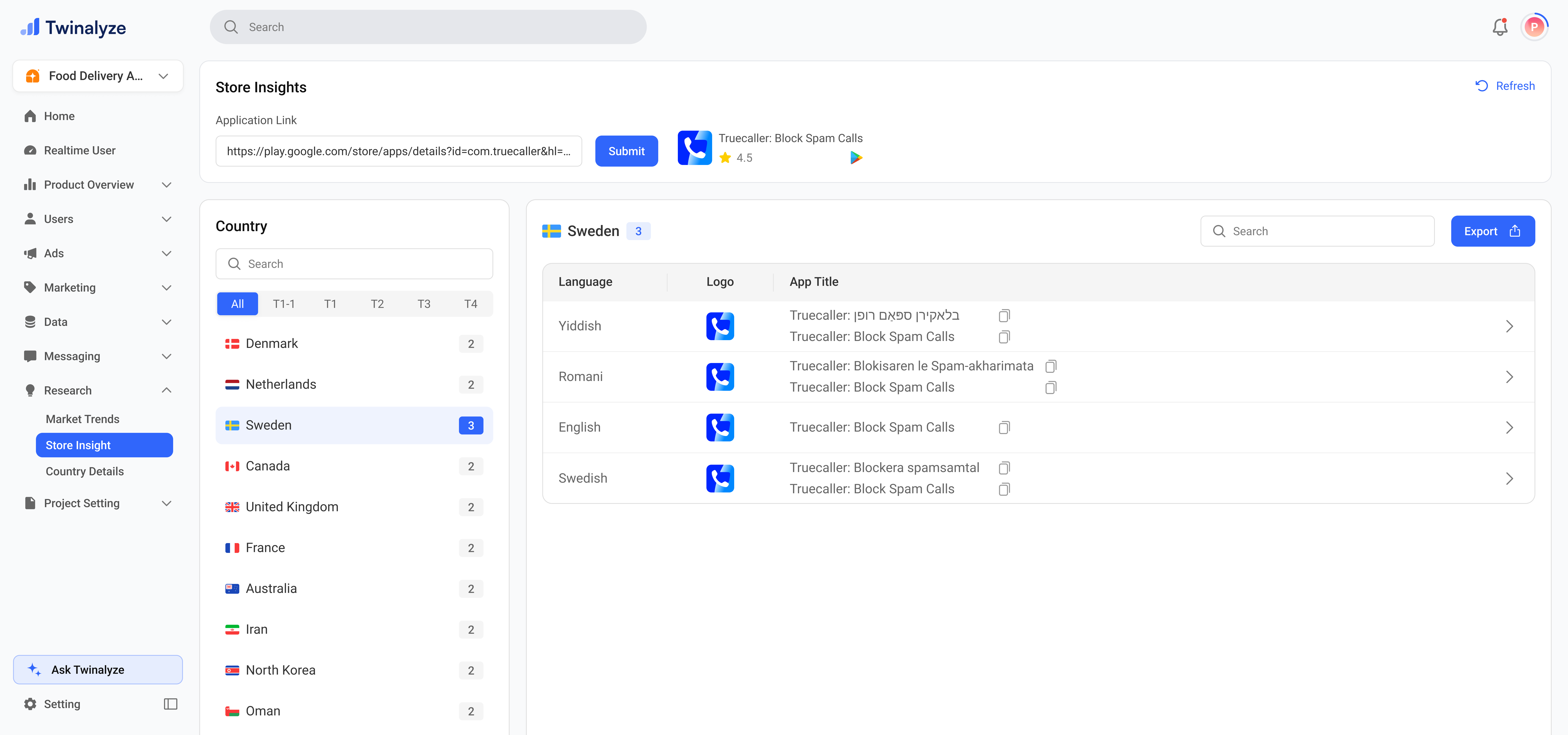
Custom Store Listing helps you check how an app appears across different countries and languages.
 ***
## Common use cases
Review how the app title appears in different countries and languages.
Use tier tabs and country search to compare listing details across markets.
Enter a competitor app link or package ID to study their store listing setup.
Use language, title, and logo data to plan country-wise localization improvements.
Export results when you need to share listing data with product, marketing, or growth teams.
***
## Common use cases
Review how the app title appears in different countries and languages.
Use tier tabs and country search to compare listing details across markets.
Enter a competitor app link or package ID to study their store listing setup.
Use language, title, and logo data to plan country-wise localization improvements.
Export results when you need to share listing data with product, marketing, or growth teams.