> ## Documentation Index
> Fetch the complete documentation index at: https://docs.paraminternationalltd.com/llms.txt
> Use this file to discover all available pages before exploring further.
# System Insights
> Understand Android OS, brand, RAM, browser, store package, network, screen, VPN, proxy, and language insights in Twinalyze.
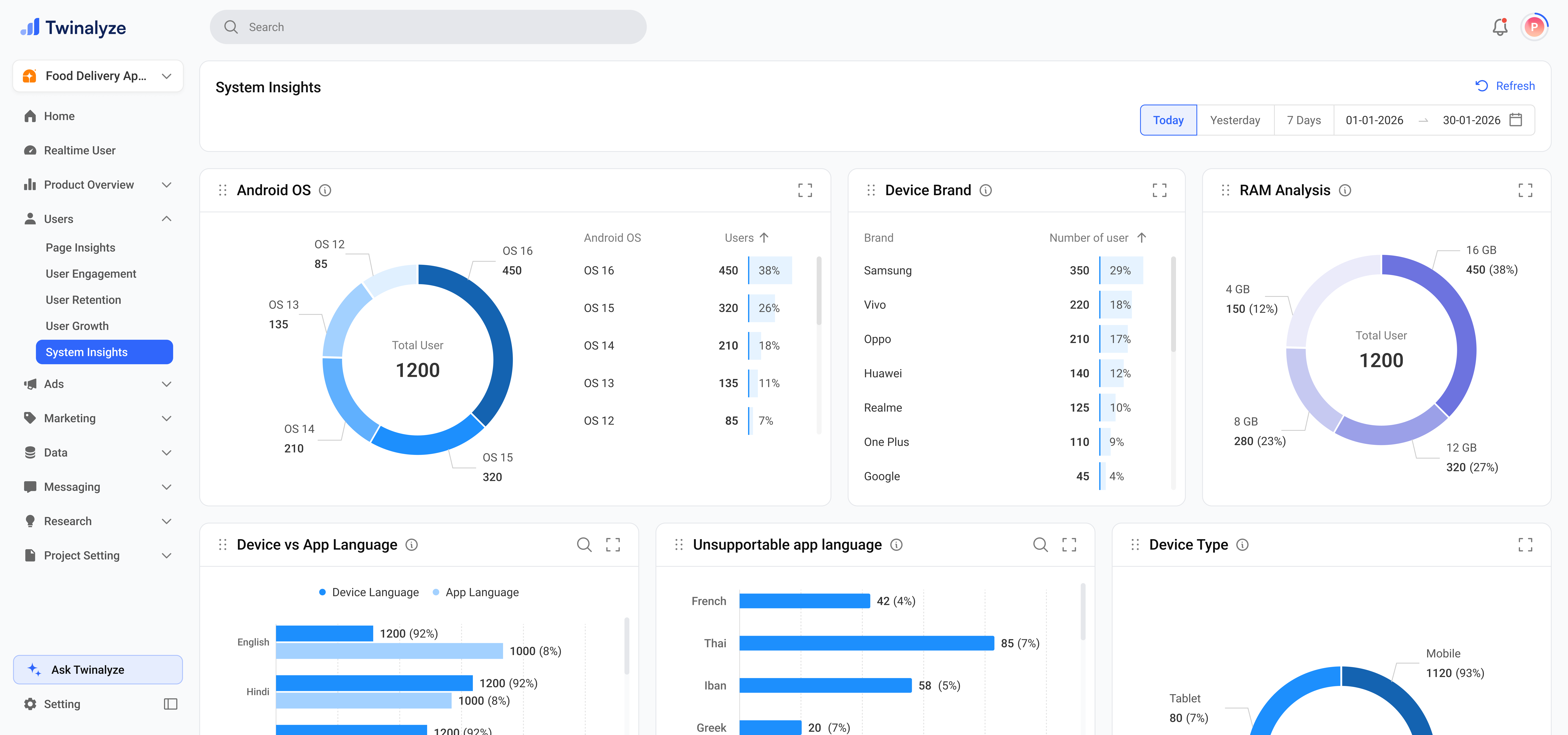
System Insights helps you understand the technical environment of your users.
 ***
## Common use cases
Use Android OS, Brand, RAM, Density, and Device Screen Inch to decide which devices and environments need more testing.
Use Default Browser Package, Default App Store Package, Device Type, and Screen Mode to improve app and web compatibility.
Use Device vs App Language and Unsupportable App Language to identify where new language support may be needed.
Use Device Network and Device SIM Name to understand how users connect and which carriers are common.
Use Developer Option, Proxy, and VPN charts to identify special technical setups or QA-like users.
***
## Common use cases
Use Android OS, Brand, RAM, Density, and Device Screen Inch to decide which devices and environments need more testing.
Use Default Browser Package, Default App Store Package, Device Type, and Screen Mode to improve app and web compatibility.
Use Device vs App Language and Unsupportable App Language to identify where new language support may be needed.
Use Device Network and Device SIM Name to understand how users connect and which carriers are common.
Use Developer Option, Proxy, and VPN charts to identify special technical setups or QA-like users.